Youtube trueview specs
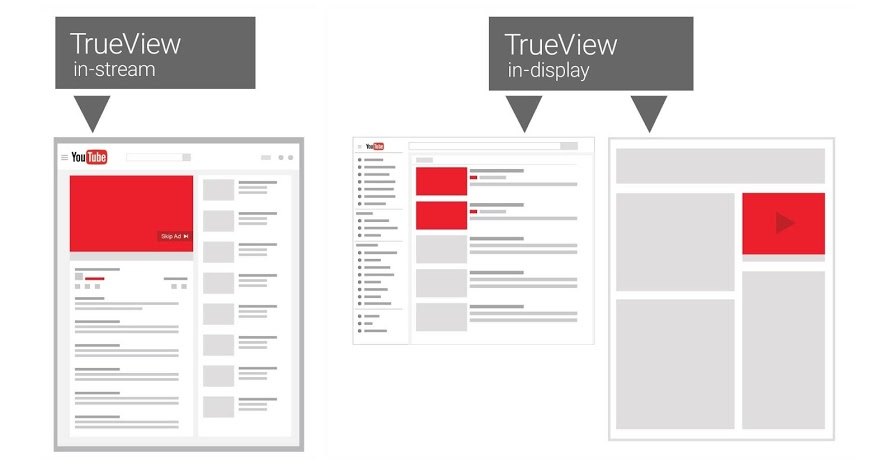
In the process of implementing video advertising, TrueView is always considered a format that demands high precision in setup and technical control. Youtube trueview specs not only determine whether the video is distributed stably but also directly affect how the system records views, costs, and overall campaign effectiveness. If these foundational requirements are overlooked, ads can easily fall into a state of poor distribution or inaccurate measurement. Instead of relying on intuition, advertisers need to view TrueView from a clear, evidence-based technical perspective. Let’s join RentAds in exploring how youtube trueview specs govern the entire process of display, billing, and performance evaluation, thereby ensuring the campaign operates correctly from the start.
YouTube TrueView Specs at the Platform Level
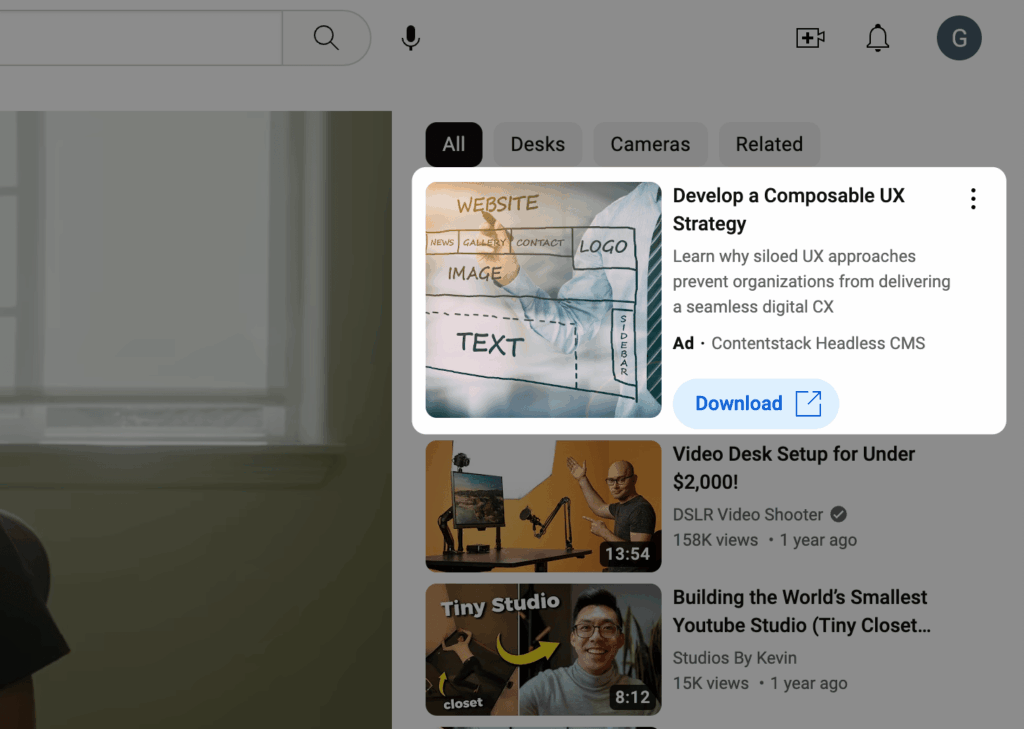
At the platform level, TrueView is not merely a video ad format but a system strictly governed by technical specifications. Every video must meet a series of requirements regarding file format, image quality, audio, and YouTube configuration before being eligible to run. These youtube trueview specs directly influence the system’s ability to accept the video, record valid views, and bill costs accurately.
Video Requirements for Ad Eligibility
Videos used for TrueView must be uploaded to YouTube before setting up the ad in Google Ads. The channel account must be in good standing, free from community policy or copyright violations. The video must be set to Public or Unlisted, as Private videos are ineligible for advertising.
Technically, YouTube supports common formats like MP4, MOV, and AVI using H.264 or VP9 codecs. Accepted aspect ratios include 16:9 for landscape, 1:1 for flexible display, and 9:16 for mobile devices. The minimum resolution should reach 720p to ensure stable display quality, though 1080p remains the safe choice for most brand campaigns. While there is no hard limit on video duration, skippable TrueView only begins counting views when a viewer actively stays past the 5-second mark. This makes the video opening a pivotal element—it must be technically compliant and clear enough to retain the viewer.
Visual and Audio Standards Affecting Visibility
Visuals and audio do not just impact the viewer experience; they affect the system’s evaluation of the video’s quality. Videos with heavy shaking, pixelation, poor lighting, or distorted audio often lead to high skip rates, resulting in a sharp drop in valid views.
YouTube recommends a stable volume level—neither too quiet nor exceeding the threshold for distortion. Audio should feature clear dialogue and limited background noise to prevent viewers from muting immediately. For visuals, frames must be sharp from the very first seconds, avoiding overly dark scenes or rapid transitions that make information difficult to process. Additionally, text, logos, or graphics should follow display safety guidelines. Text should not be too small and should avoid the edges of the frame where it might be cropped on certain devices.
Video Configuration Related to View Recording
Beyond video quality, the configuration on YouTube plays a vital role. Videos must have “Allow embedding” enabled so the ad system can use them flexibly. Disabling embedding or applying regional restrictions can prevent the ad from functioning as intended.
The video title is limited to 100 characters; while not a primary element during ad display, it still affects how the system identifies content. The description should be clear, avoiding irrelevant keyword stuffing and adhering to Google’s advertising policies. Although thumbnails do not always appear in TrueView, they should be designed correctly as they may display in certain suggested positions. Crucially, the system only records a view when specific conditions are met—usually watching at least 30 seconds (or the full duration if shorter) or through an active interaction.
How the YouTube System Processes TrueView Videos

To effectively control TrueView advertising, one must understand how YouTube records viewing behavior and converts those signals into billing data. This mechanism focuses on watch-time milestones, proactive user actions, and how they interact with the skip option.
Time Thresholds for Valid View Activation
With skippable TrueView, YouTube does not charge the moment the ad starts playing. A view is only recorded when the viewer meets one of the predefined conditions—most commonly the 30-second continuous watch mark, or the full video if shorter. Proactive actions like clicking the video, clicking a Call-to-Action, or interacting with accompanying overlays also count as valid views.
This definition makes the first three to five seconds of the video decisive. If a viewer leaves before the skip threshold, the system does not record a view, meaning no cost is incurred. Conversely, when a viewer continues past the threshold, the ad is considered to have generated enough attention to justify billing. Therefore, the opening structure must be clear and focused to avoid losing the opportunity for a valid view.
Billing Mechanism Based on Viewer Action
TrueView operates on a Cost-Per-View (CPV) model, but essentially, not every play is billed. Costs only arise when the system confirms the viewer has shown clear interest through watch time or interaction. This creates a significant difference from formats billed by impressions (CPM).
Technically, each valid view is linked to a maximum bid set by the advertiser. The system uses this bid to participate in auctions. When a view occurs, the actual cost is often lower than or equal to the bid, depending on competition. This mechanism ties costs directly to content quality: the longer a video retains viewers, the higher the valid view rate, ensuring the budget is spent on high-value sessions.
The Role of the Skip Action Regarding Budget
The option to skip after a few seconds is the core element that distinguishes TrueView. Skipping is not viewed as a negative signal; rather, it helps the system filter out uninterested audiences. When a user skips before the view threshold, the advertiser does not pay, preserving the budget for those willing to continue watching.
However, a high skip rate is still an indicator to monitor. If most viewers leave as soon as they can, it suggests the opening message is not clear or relevant to the target audience. Conversely, as skip actions decrease, the budget focuses on longer sessions where brand recall and message absorption are higher. Monitoring the relationship between skip rates, valid views, and average CPV is fundamental to adjusting video content and budget strategy.
Contact Info
Are you in need of Facebook advertising or need to rent a quality Facebook advertising account? Don’t worry! Rentads is a unit specializing in providing reputable Facebook accounts, as well as direct advertising support. Provides all types of advertising accounts such as google account for rent to help you reach and create fast conversions.
Frequently Asked Questions
For gaming or e-sports content, 60fps is a great choice. However, for standard ads, 60fps doubles the data volume, which can cause “lag” in the first few seconds if the user’s device or 5G network is unstable. The “gold standard” remains 24fps or 30fps. This ensures the video starts immediately, making sure you don’t waste those golden first 5 seconds just waiting for the video to load.
When running a cross-platform TrueView campaign, a 9:16 vertical video on a desktop will display with large black bars on either side. To fix this technically without redoing the video, you should use YouTube’s “Auto-reframe” feature or set up a square (1:1) backup version. In 2026, the algorithm prioritizes highly flexible videos that automatically adjust the frame to occupy the maximum display area on any screen.

