Instagram followers increase app for pc
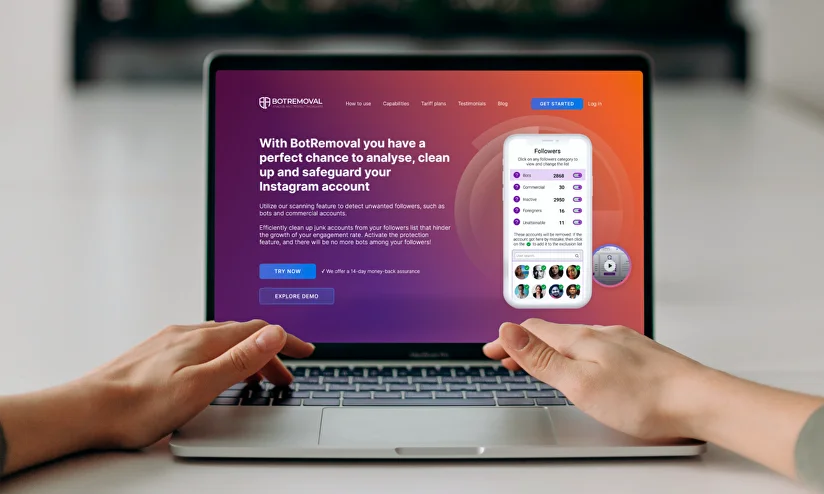
Computers are powerful tools for building and growing Instagram channels due to their ability to manage content, edit images, and process data more efficiently than mobile phones. Because of this, many people frequently look for an instagram followers increase app for pc with the expectation of accelerating their account growth. However, alongside enticing advertisements, quite a few tools carry underlying risks of lowering follower quality or exposing the account to security and platform policy issues. In this article, RentAds will analyze the reality of using an instagram followers increase app for pc, while sharing methods to help grow your follower base in an organic, safe, and sustainable manner.
Risks of Using an Instagram Followers Increase App for PC
Follower-boosting software for computers is often heavily promoted with attractive claims, such as rapid follower growth, time-saving automation, or completely hands-free account scaling. However, behind these short-term perks lie severe risks that can directly tank your performance metrics and compromise the security of your Instagram account.
The Risk of Permanent Account Suspension
Instagram continuously updates its monitoring frameworks to pinpoint artificial activities on the platform. Third-party logins, sudden interaction spikes, or repetitive automated patterns easily trigger red flags across the system. When an account is suspected of violating platform guidelines, Instagram can deploy penalties ranging from restricted interaction capabilities and crushed content reach to added identity verification requests or frozen features.
In severe or recurring cases, your profile can be completely disabled, throwing a massive wrench into your personal branding or business operations. This is why digital marketing professionals strongly recommend against using unapproved automated growth tools.
Decreased Engagement Due to Fake Follower Spikes
Another widespread issue is the mismatched quality of the followers displayed on your profile layout. Many booster applications deploy networks of ghost accounts, mutual-exchange profiles, or users who share zero actual interest in your specific niche.
Initially, your follower metric might climb rapidly, but your average engagement rate per post will remain entirely flat. These profiles almost never consume your reels, drop comments, or share your posts. As a result, your overall engagement rate will plummet compared to your total follower volume.
When the algorithm notices that the majority of your followers fail to respond to fresh uploads, it shrinks your content distribution to broader lookalike audiences. Over time, your profile will struggle to land in front of real users, rendering your entire marketing strategy ineffective. Rather than chasing superficial, low-quality growth metrics, focusing on building an authentic community remains a much safer and more valuable path.
Official Desktop Tools for Safe Management and Sustainable Follower Growth
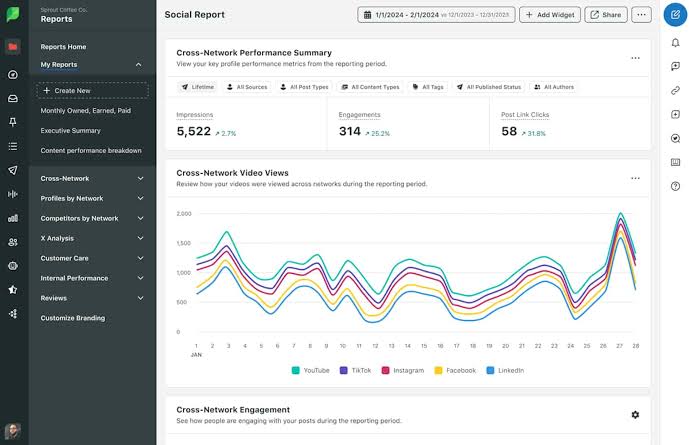
Instead of hunting for a risky instagram followers increase app for pc, users should capitalize on official content creation and page management dashboards. While these tools do not manufacture instant follower counts, they elevate your content quality, preserve a consistent publishing workflow, and safely expand your organic reach.
Scaling Channels via Meta Business Suite inside Your Browser
One of the highest-utility desktop tools for Instagram managers is Meta’s official content dashboard. This workspace enables you to schedule grid posts, Reels, and daily Stories directly from your web browser without manual mobile operations.
By planning ahead, you can batch-produce and schedule content for multiple days or an entire week in one sitting. This workflow preserves a highly stable publishing frequency, eliminating missed post schedules or poorly timed updates. Furthermore, the dashboard provides clear data reports regarding content performance, audience active hours, and specific post metrics. Reviewing these analytics allows you to publish during peak visibility hours, optimizing your reach and accelerating organic follower conversion.
Producing Content Using High-Performance Editing Software
Computers possess a major processing advantage over mobile devices, allowing for a much more professional content production pipeline. Desktop video editors like Adobe Premiere Pro, DaVinci Resolve, or the PC version of CapCut enable pinpoint timeline cutting, clean subtitle generation, and maximum visual resolution export.
Videos built with a deliberate focus on crisp audio, sharp color grading, and dynamic pacing inherently optimize viewer retention. As watch time climbs, your content stands a much higher chance of being pushed into Instagram’s recommendation feeds.
Alongside video production, design programs like Canva or Adobe Express simplify creating multi-image knowledge carousels, infographics, or step-by-step guides. This style of value-dense content consistently captures high save and share rates while cementing your authority. When fresh profile visitors encounter an organized grid with a cohesive color palette and a consistent layout, they immediately recognize the account’s credibility and naturally incline to hit Follow for upcoming updates.
Leveraging Your Desktop Workflow to Nourish and Expand Your Community
Many creators focus entirely on producing content while neglecting the fact that community management is the true pillar of sustainable growth. Utilizing a computer setup makes engaging with your audience far faster, more convenient, and highly efficient. Maintaining active, conversational touchpoints with your viewers signals positive feedback to the platform, boosting your content’s organic distribution.
Accelerating Comment Response Rates
Compared to a smartphone screen, a computer keyboard provides an unmatched advantage in input speed and managing multiple conversation streams simultaneously. This becomes incredibly beneficial for accounts receiving heavy comment volume or direct inquiries from followers.
Instead of dropping a generic emoji or a brief thank-you note, use your desktop workflow to extend conversations by asking contextual questions related to your post. As users reply back, your post gathers fresh engagement signals, keeping it active in user feeds for a longer duration. Moreover, responding promptly demonstrates a high level of professionalism and shows you truly value your community. This strengthens audience loyalty and encourages broader discussion on future uploads.
Networking with Industry Peers
A desktop setup also makes market research and industry networking exceptionally fluid. Utilizing a large display panel with multiple side-by-side browser windows allows you to easily track top accounts, analyze their content structures, and identify trending topics inside your niche.
Beyond studying your peers, actively contribute to discussions on related authority pages. Dropping insightful comments, sharing your real-world experience, or offering unique professional angles drives up your personal brand visibility and attracts users who share identical interests. Over time, these networking touchpoints establish your position within the community, funnelling high-quality, organic followers to your profile without ever needing a shady instagram followers increase app for pc.
Contact Info
Information about “Instagram followers increase app for pc” hopes to provide you with additional necessary knowledge. At Rentads, there is a team of highly qualified and experienced staff and experts who will provide google ads agency account for rent as well as support when you run Facebook ads. Contact us via phone number.
Frequently Asked Questions
Yes, you can. Meta’s official desktop management tools fully support scheduling multiple content formats including Reels, carousel posts, and Stories straight from your web browser.
Any tool that guarantees thousands of instant followers within a hyper-short timeframe or demands deep access permissions to your account security infrastructure carries an exceptionally high risk profile.

