Top up ShopeePay
The golden discount hour often sees millions of transactions occurring simultaneously, causing accounts without available balances to risk order cancellations due to overloaded banks. Preparing to top up ShopeePay ahead of deal-hunting hours allows the payment process to complete instantly, entirely eliminating the risk of missing out on deep discount codes. Maintaining a ready balance by choosing to top up ShopeePay also supports a smoother refund process if return requests arise. RentAds provides a detailed summary of optimal fund transfer flows, set limits, and manual debt-clearance solutions when bank systems stall.
Popular Channels to top Up ShopeePay and Safety Considerations
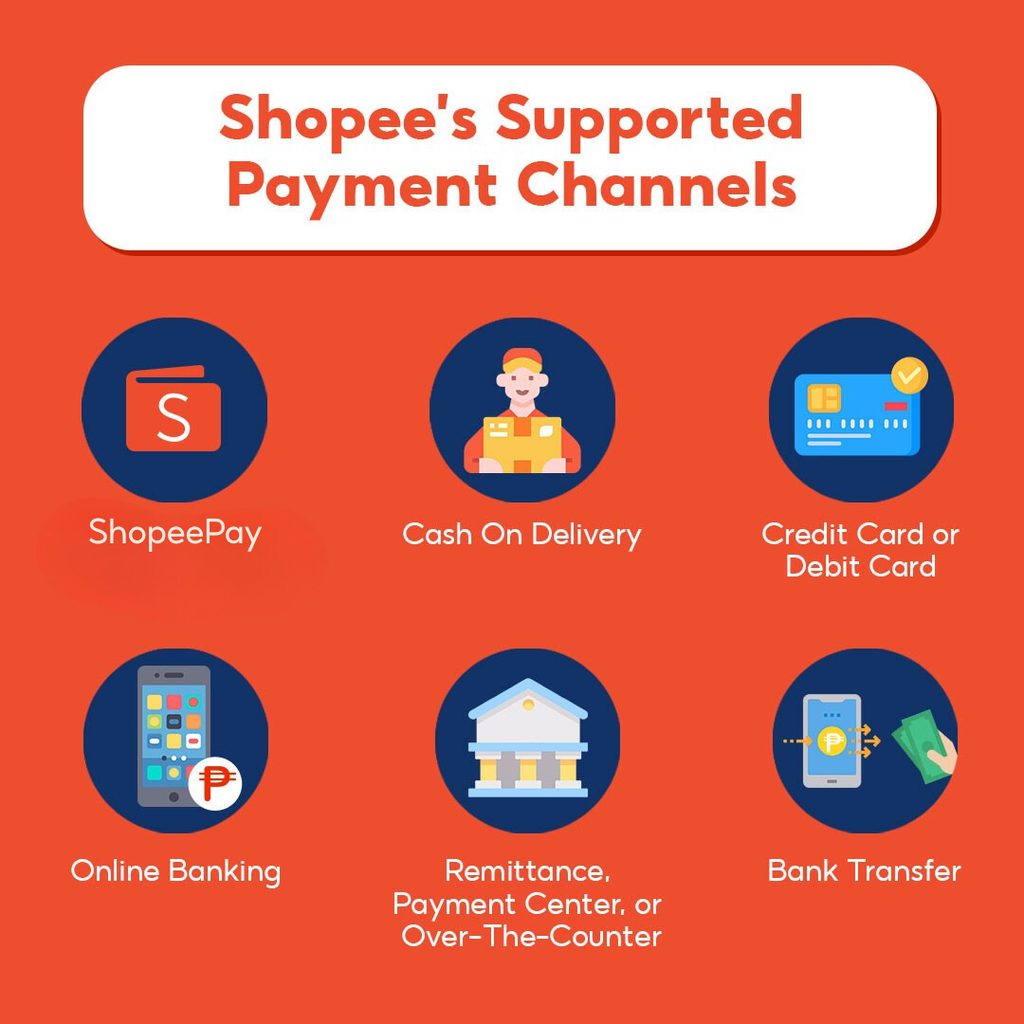
ShopeePay supports various deposit methods to help users proactively manage their wallet balances. Depending on the bank used and the transaction format, users can choose to top up ShopeePay via linked bank accounts, bank transfers, or supported card payment channels.
Directly Linked Bank Account Channel
This is a convenient method when a bank account is already linked to ShopeePay. At the deposit interface, users select the bank account, enter the amount to top up ShopeePay, and complete the required authentication. The transaction is executed directly within the app, removing the need to switch to an intermediary platform.
Before confirming, verify the bank, source account, and deposit amount. Never share OTPs or verification codes with anyone, including individuals claiming to be bank or ShopeePay staff.
VietQR Transfer Channel
VietQR is suitable when users want to transfer money from a Mobile Banking app to the account or receiving details provided by ShopeePay. Users simply open their banking app, scan the VietQR code or enter the transfer details as instructed, and confirm the transaction.
The advantage of this method is that directly linking a bank account to ShopeePay is not strictly required. However, before transferring, carefully verify the recipient name, account number, and transaction details shown to avoid misdirected transfers. Processing times may also depend on the banking system and transfer method.
Domestic Debit Card Channel (NAPAS)
With supported domestic debit cards, users can perform deposit transactions using the method provided by ShopeePay on the app. When transactions require OTP authentication or other security measures, perform them directly on the official interface and re-check the amount before confirming.
Note that not all NAPAS cards can be used to top up ShopeePay by default in the same manner. If the card option does not appear or the transaction is declined, check the issuing bank, card status, and currently supported deposit methods on ShopeePay instead of attempting the transaction repeatedly.
Regulations on Limits and Transaction Fee Policies
When using ShopeePay, users should distinguish between statutory limits required by law and the limits set by ShopeePay for individual accounts or transaction types. This prevents misunderstandings that every deposit transaction carries the same minimum, maximum, or free-of-charge policy.
Transaction Limits via ShopeePay
Under current regulations, the total transaction limit across an individual’s e-wallets at a single e-wallet service provider is a maximum of 100 million VND/month for covered transfer and payment transactions. This is a monthly limit, not a restriction that each attempt to top up ShopeePay must fall within a single fixed amount.
For individual deposit transactions, users should view the limits displayed directly by ShopeePay on the app. If a transaction exceeds the account limit or the payment method limit, the system may request an alternative payment method or reject the transaction.
Specific payment groups—such as electricity, water, telecommunications, tuition, medical fees, insurance, and certain other bills—have separate limit regulations outside the 100 million VND/month cap. Therefore, the 100 million VND figure should not be treated as a universal limit for all ShopeePay transactions.
Deposit Fee Policies
Deposit costs should not be assumed as 100% free for all transactions originating from primary account holders. Actual fees depend on the deposit method, bank, and current policies applied by ShopeePay; users should check the payable amount or received balance on the confirmation screen before finalizing.
For primary bank accounts or cards, linking and using supported methods allows direct transactions from user funds. However, primary account holder status does not guarantee that every transaction type is free, as service fees (if any) are determined by specific methods and promotional programs.
Wallet Identification and Verification
Completing identity verification is required not only to open a wallet but also to enable electronic transactions. According to State Bank regulations, e-wallets must complete matching of identity documents and biometric data as required before executing regulated electronic transactions.
If an account has not completed required verification or identity details do not match, certain transfer and payment features may be restricted. Users should complete verification directly on the ShopeePay app using their own details and refrain from sharing citizen IDs, passwords, or OTPs with third parties.
3 Steps to Seamlessly Top Up ShopeePay on the App
The process to top up ShopeePay is executed directly on the Shopee app. Before confirming, review the funding source and deposit amount to avoid selecting the wrong account or entering an incorrect value.
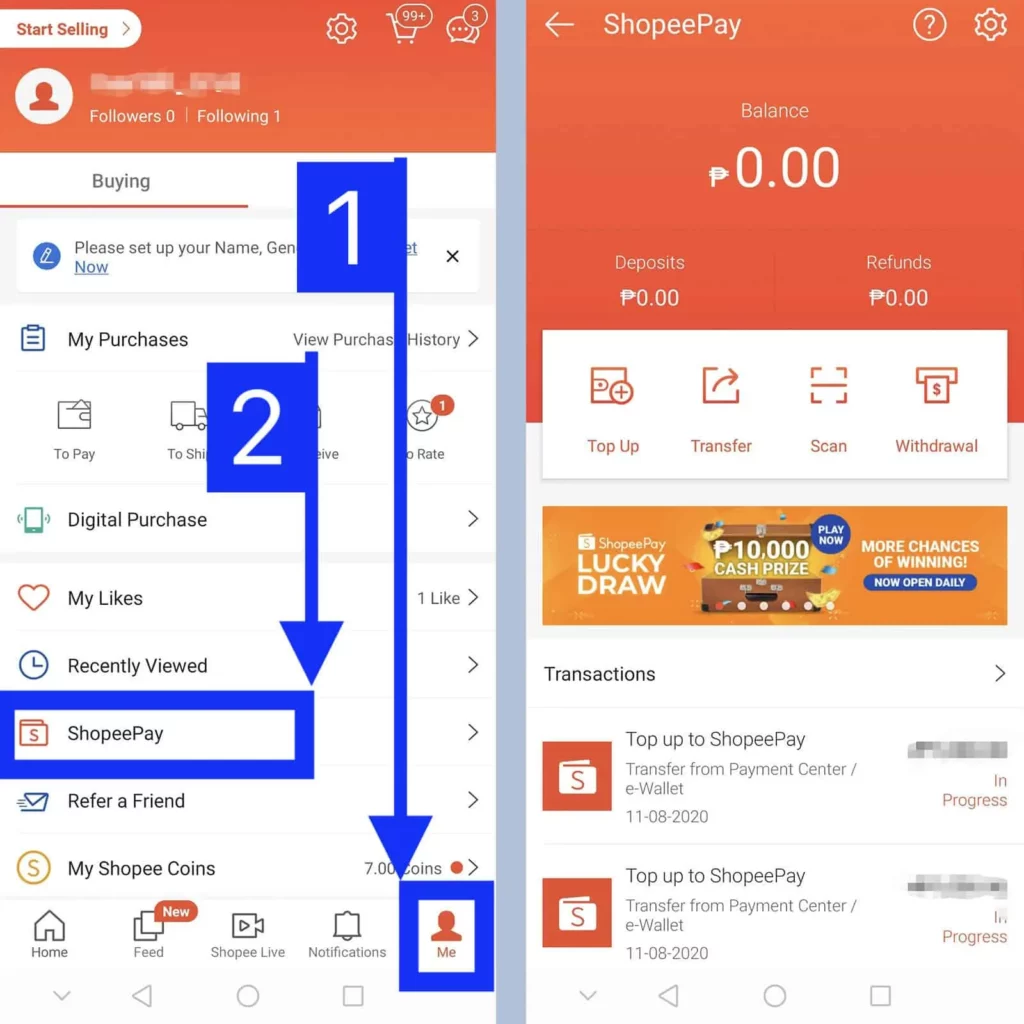
Step 1: Open ShopeePay Wallet and Select Top Up
Open the Shopee app, access the ShopeePay Wallet section, and select Top Up. The system will navigate to the interface to select a funding source and enter the deposit amount.
Step 2: Select Funding Source and Enter Deposit Amount
Select a bank account or payment method supported by ShopeePay. Enter the desired deposit amount or select one of the suggested values on the screen.
Before proceeding, review the funding source name, deposit amount, and applicable fee details. If fees apply, they will be displayed based on the chosen method and active policies at the time of transaction.
Step 3: Authenticate Transaction to Complete
Review transaction details and complete the authentication required by the app, such as a ShopeePay PIN or device biometrics. Upon successful authentication, funds will update in your ShopeePay Wallet balance according to transaction status.
If the transaction does not update immediately, avoid initiating a new deposit command right away. Check transaction history and wallet balance first to prevent duplicate deposits.
Contact Info
You need a Facebook advertising account but don’t know any reputable provider. Coming to Rentads is where you will experience what you need google ads agency account for rent prestige, high trust, and professional consulting and service support for customers.
Frequently Asked Questions
The system will temporarily lock transaction features for 24 hours to protect your account. You can select Forgot Password on the app to re-authenticate via your phone number and reset a new PIN.
Yes. You can execute a withdrawal from your ShopeePay Wallet to a linked bank account at any time without incurring service fees.

