Facebook not accepting my debit card
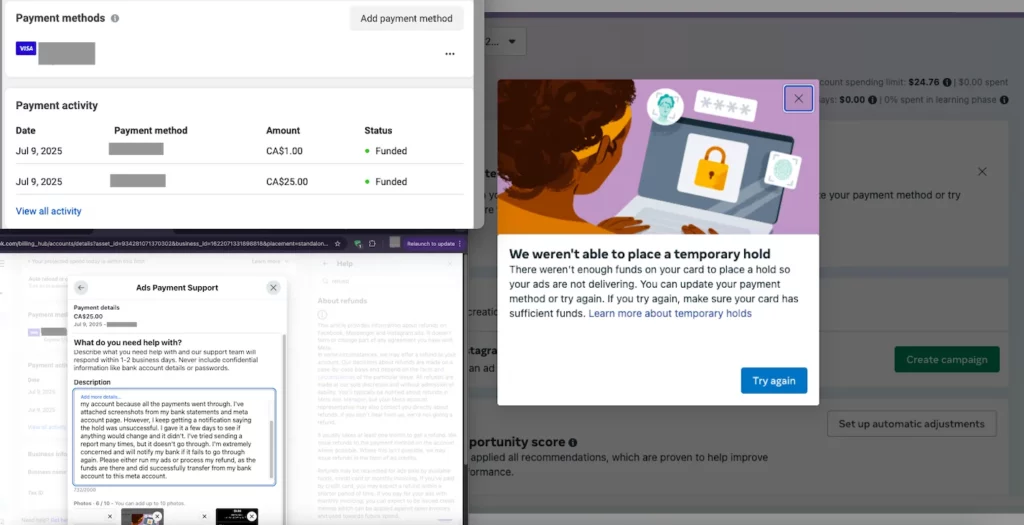
You have fully prepared the budget and content, but the system continuously reports an error that facebook not accepting my debit card, causing the entire campaign to fall into a paused state. This issue often stems from the tightening of Meta’s security mechanisms or international transaction control regulations from the issuing bank. Instead of trying repeatedly and risking a permanent card block, businesses need to find the root cause and safe alternative solutions. Let’s join RentAds in exploring why facebook not accepting my debit card and how to set up the most effective backup payment system.
Reasons Why facebook not accepting my debit card
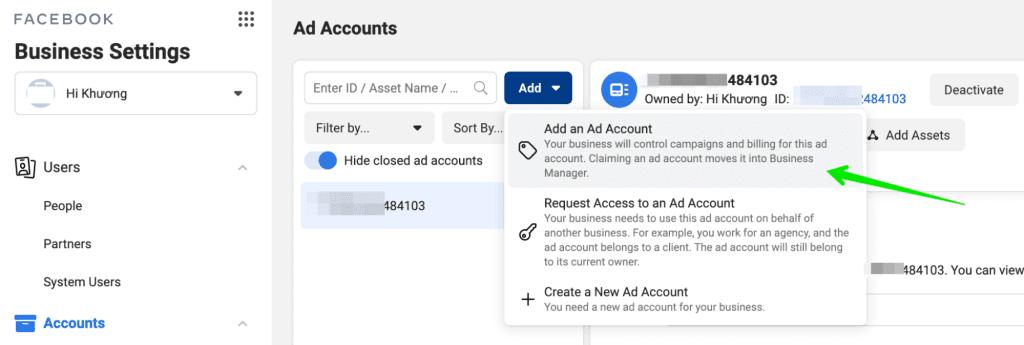
Unlike credit cards, debit cards are often scanned more thoroughly by Meta’s risk control algorithms due to the nature of cash flow depending on immediate available balances. Understanding these system barriers helps businesses proactively adjust their financial strategies, avoiding losses in time and customer access opportunities.
Automated System Risk Control Mechanisms
Meta’s automated security system operates based on machine learning algorithms to detect and prevent financial fraud. When you link a card, the system analyzes a range of input data to assess credibility.
If a debit card is issued in one country but the login IP address or the ad manager’s time zone belongs to a different region, the system will immediately flag it as suspicious. This is a self-defense mechanism to prevent the use of stolen cards for unauthorized advertising.
Newly created accounts or those with a history of payment arrears are often placed on a strict monitoring list. For these entities, Meta tends to prioritize Credit Cards and frequently rejects debit card lines from banks with low international credibility.
At certain times, specific card prefixes from certain banks may be restricted by Meta if the system records too many instances of payment evasion or policy violations from cards with those same prefixes.
Barriers from the Issuing Bank
In many cases, the error does not lie with Meta but stems from the internal security policies of the financial institution that issued the card. Commercial banks currently apply strict standards to protect cardholders from automated online transactions.
Some debit card lines default to only having ATM withdrawal or direct POS payment functions. If the cardholder has not activated online payment or international spending features via the banking app, payment orders from Meta’s headquarters (usually located in Ireland or the USA) will be blocked immediately.
Meta often executes automated payment orders without OTP codes (Non-3DS) to maintain advertising continuity. However, many banks require every transaction to have an OTP verification code sent to the phone.
This conflict prevents the Facebook payment order from completing, leading to the card being rejected. Even if the account balance is sufficient, if the payment order exceeds the daily online payment limit set by the bank, the transaction will fail. This often happens with large-budget campaigns (exceeding $500 – $1,000 per day).
Financial Information Verification Process
A ZIP code or billing address declared in the ad manager that does not match the information registered at the bank is a red flag for security algorithms. Entering a name in the wrong format (with or without accents, or the name order reversed compared to the actual card) can cause the intermediary verification system to reject the card link.
When adding a new card, Meta often performs a temporary hold (around $1) to check the card’s activity. If your account only has just enough money to run ads without a surplus for this verification order, the card will report an error. Sometimes a card is temporarily locked because the bank suspects a previous unusual transaction or the card has expired. Periodically checking the card’s active status is an essential step to ensure advertising cash flow remains smooth.
Meticulously reviewing each of these groups of causes will help advertisers quickly determine whether the problem lies with the Meta system, bank policies, or personal actions, thereby finding a timely solution to restore business operations.
Definitive Solutions for Debit Card Errors
Fixing payment issues on Meta requires a systematic approach, rather than repetitive, impulsive actions that could cause the account to be flagged for “unusual activity.”
Checking Balance and Information
Carefully check the available balance in the account. Note that this balance must include both the expected advertising costs and a small fee (usually $1) for Meta to perform the temporary verification. Additionally, ensure the card has at least 6 months of validity remaining to avoid risk filters for expiring cards. Re-examine the CVV code, card number, and especially the billing address. This address should match the address you registered with the issuing bank to pass the address verification tests of international payment systems.
This is a key step that is often overlooked. Directly call the bank’s support hotline to confirm the card has been enabled for online payments and international spending. In many cases, the bank may temporarily block transactions coming from Facebook due to suspected fraud; therefore, you need to request the bank staff to remove all restrictions for this merchant.
Old Cache and Cookies can store failed login sessions, hindering the process of adding a new payment method. Clearing browser data or using a different computer/browser (such as Edge instead of Chrome) to operate on the ad manager often yields a higher success rate than performing it on a mobile app, which has many programming interface limitations.
If you have just performed many consecutive card deletions and additions, the system will trigger self-defense mode. In this case, the wisest action is to pause all operations for 24-48 hours before trying again so that Meta’s security algorithms return to a normal state.
Trying Alternative Options
Globally, credit cards are always prioritized by Meta over debit cards due to the guaranteed source of funds and the cardholder’s credibility through financial institutions. Using a credit card significantly minimizes “insufficient balance” error scans and usually allows for payment thresholds to be raised faster.
PayPal acts as a secure buffer between the bank and Meta. If Facebook does not directly accept your debit card, linking that card to a verified PayPal account and using PayPal as the primary payment method on Facebook often achieves an almost absolute approval rate. This mechanism helps resolve OTP verification conflicts between the bank and the advertising platform.
Setting Smart Payment Thresholds
Effectively controlling cash flow by adjusting the payment threshold is a long-term strategic solution to prevent payment errors from recurring. This helps businesses be proactive in matching bank balances with Facebook’s deduction cycles.
Instead of letting the system automatically raise the payment threshold to an excessively high level, you can proactively set a threshold suitable for your daily spending limit or the regular balance in the card. For example, if the card usually has $500 available, setting the threshold at $400 will ensure the deduction is always successful, thereby building a “clean” payment history and avoiding an unexpected facebook money transfer fee due to failed transaction penalties.
Closely monitor Meta’s monthly billing date to ensure funds are always ready before the system performs a scan. Manually paying a portion of the budget before reaching the threshold is also a good way to increase account credibility, helping the system trust the payment method you are using more.
Applying these solutions synchronously not only helps settle card errors definitively but also creates a solid financial foundation for future large-scale advertising campaigns.
Contact Info
Are you in need of Facebook advertising or need to rent a quality Facebook advertising account? Don’t worry! Rentads is a unit specializing in providing reputable Facebook accounts, as well as direct advertising support. Provides all types of advertising accounts such as google account for rent to help you reach and create fast conversions.
Frequently Asked Questions
When a transaction is rejected, Meta applies a “rest” mechanism. If you click “Try Again” too many times in a short period, the system will consider it spam or a brute-force attack and continue to block the deduction. You should wait at least 24 hours for the system to reset its status before making the next attempt.
Yes. Continuous payment failures are classified by Meta as a “Payment Policy Violation.” If the system cannot deduct funds after 3-5 attempts, your ad account may be disabled for “Unusual Activity.” This is to protect the platform from the risk of bad debt and excessive intermediary facebook money transfer fee costs from failed attempts.

