Youtube pre roll ad specs
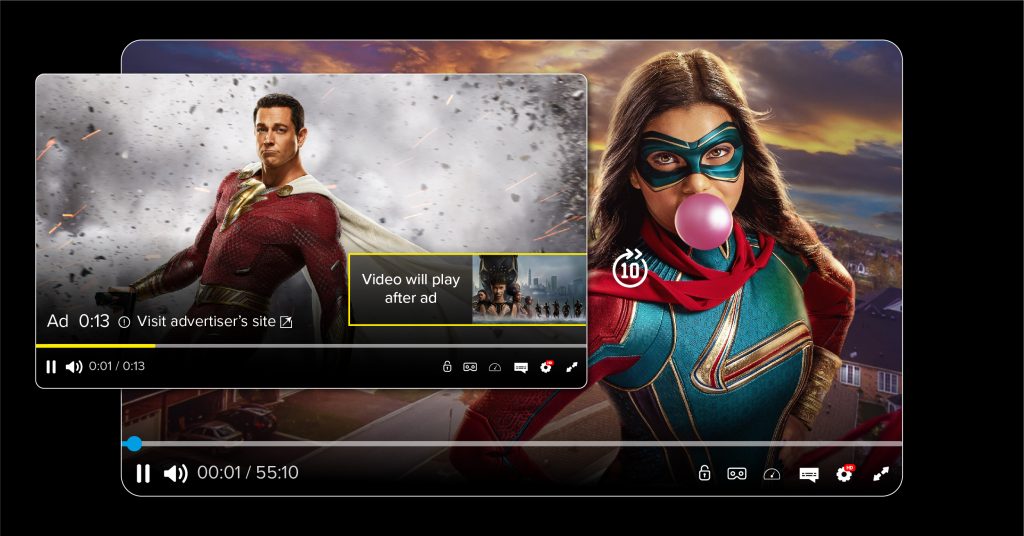
In the video advertising ecosystem, pre-roll remains a familiar format, yet it is by no means simple when it comes to actual implementation. The youtube pre roll ad specs go beyond just video length or file format; they directly govern how an ad is distributed, displayed, and evaluated for quality. Without a solid grasp of these technical requirements, videos can easily suffer from restricted visibility and rising costs without proportional effectiveness. Therefore, youtube pre roll ad specs must be viewed as a mandatory foundation before discussing creative content or targeting strategies. When these specs are set correctly from the start, the ad is positioned to reach viewers more consistently, reducing the risk of distribution interruptions and helping the brand maintain better control over the viewing experience.
Advertising Ecosystem: Youtube pre roll ad specs
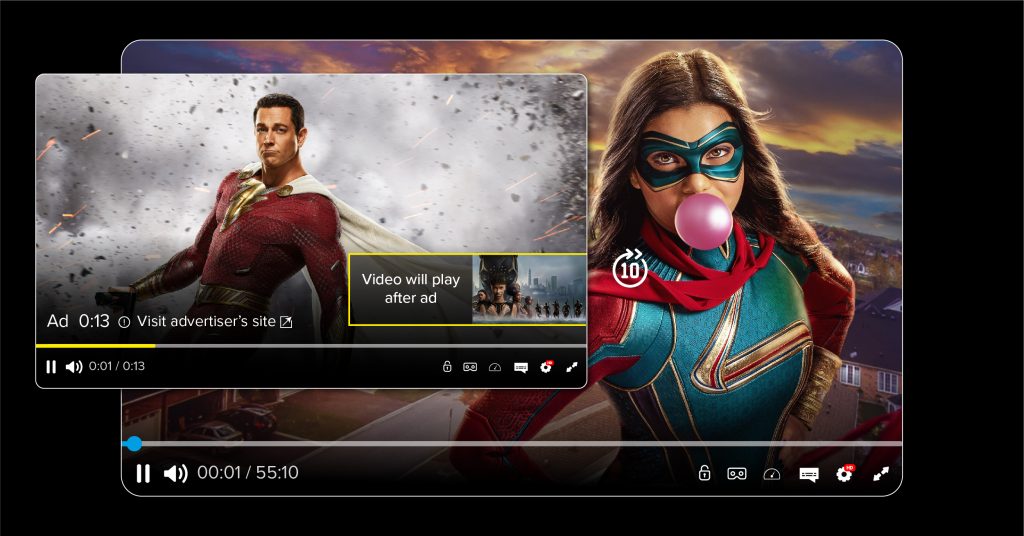
Pre-roll advertising is a video format that appears immediately before the main content begins, playing a decisive role in capturing the viewer’s attention from the very first seconds. To implement this effectively, advertisers must master the difference between two types: Unskippable and Skippable (TrueView). Precise adherence to technical specifications not only helps ads pass Google’s moderation but also ensures the message is conveyed fully, without distortion or loss of detail across devices ranging from desktops and phones to smart TVs.
Duration and Viewer Retention Tactics
Ad duration is designed to align with user information consumption psychology. Each type requires a distinct content approach to optimize budget and conversion rates.
Unskippable Ads: These have a maximum duration of 15 to 20 seconds (in some markets and on devices like Connected TV, this can go up to 30 seconds). For this format, the first 5-15 seconds are the “golden window” to deliver the core message and brand logo, as viewers must complete the entire video to see the main content.
Skippable Ads (TrueView): These require a minimum duration of 12 seconds and are usually recommended to stay under 3 minutes. The hallmark of this type is that viewers have the right to skip after the first 5 seconds. Google only charges when a user watches at least 30 seconds (or the entire video if it is shorter than 30 seconds) or interacts with the ad.
Dimensions, Resolution, and Aspect Ratio
In 2026, YouTube supports a variety of aspect ratios to adapt to the trend of vertical video viewing on mobile (Shorts) and traditional horizontal video.
On Desktops and TVs: Priority is given to a 16:9 ratio. The highest recommended resolution is 1920×1080 (1080p) or 1280×720 (720p) to ensure sharpness on large screens.
On Mobile Devices: To maximize screen real estate, advertisers should supplement with Vertical format (9:16) at 720×1280 resolution or Square format (1:1) at 480×480 resolution or higher. Providing diverse ratios allows the system to automatically select the most suitable format for the user’s device, significantly increasing engagement rates.
File Formats and Additional Technical Requirements
To ensure smooth uploading and video processing within the Google Ads system, compliance with file and frame rate regulations is mandatory.
The top recommended format is .MP4 (using H.264 compression). Additionally, YouTube still accepts other formats like .MOV, .AVI, .WMV, .ASF, and .MPEG. However, .MP4 always provides the best balance between image quality and file size.
Frame rates should be maintained at 24, 25, or 30 FPS for natural motion. The maximum file size can be up to 256 GB; however, experts recommend optimizing files to under 10MB for short videos to increase page load speed and minimize latency when the ad begins.
How to Prepare Video Assets to Avoid Disruptions When Running Pre-roll

A successful Pre-roll ad goes beyond engaging content; it must meet the technical and legal standards of the Google Ads system. Careful preparation—from setting Metadata to managing usage rights—creates a “shield” protecting the campaign from technical risks, ensuring the business message is delivered seamlessly to the target audience.
Setting Metadata and Video Status on YouTube
Metadata includes the title, description, and tags of the video on the original YouTube channel. Setting accurate Metadata helps Google’s algorithm understand the content and distribute ads to the correct demographic.
Videos used for Pre-roll ads must be uploaded to the YouTube channel in Public or Unlisted mode. If you set the video to Private, the ad campaign will immediately report an error and cannot start.
Even for an advertisement, filling out the title and description is vital. Evidence shows that videos with clear Metadata help YouTube’s AI match targets more accurately, supporting a reduction in cost-per-view (CPV) of about 10% through improved quality scores.
Controlling Embedding Rights and Content Usage
A serious technical error that prevents Pre-roll ads from appearing on Google Video Partners (websites or apps) is restricting video embedding rights.
In the advanced settings of the video in YouTube Studio, advertisers must ensure the “Allow embedding” box is checked. If this feature is disabled, the ad can only appear on the YouTube homepage, significantly narrowing the campaign’s reach.
Copyright issues are a leading cause of video “strikes.” Before running, check the video through YouTube’s copyright tool. If the video contains unlicensed music, even for a few seconds, the system may mute the ad or redirect ad revenue to the copyright owner, wasting the business budget.
Ensuring Compliance with Advertising Policies
Google’s automated moderation system scans videos from the moment they are uploaded to detect signs of brand safety policy violations.
Avoid using shocking language in video titles or sensational, sensitive imagery in the first few seconds. Videos with these signs are often placed under “Limited” status, meaning the ad can only be shown during certain hours or in specific countries, increasing the average CPM by 20% to 50%.
In pharmaceutical or financial industry campaigns, if the video does not contain full legal disclaimers as required by Google, the rejection rate after manual review can be as high as 90%. Checking the “Ad suitability” category in the video manager is a mandatory step to ensure assets are 100% ready before funding the ad account.
Contact Info
We provide services google account for rent nationwide, and with a team of experienced and qualified staff who both support advertising and can directly perform Facebook advertising if you need. Contact us via phone number.
Frequently Asked Questions
The display quality of a Pre-roll depends on the viewer’s internet bandwidth and screen resolution at that moment. YouTube uses an Adaptive Bitrate Streaming algorithm to automatically adjust video quality to avoid lagging. If the viewer is on a weak 4G connection or a low-spec device, the system prioritizes playback at a lower resolution for a seamless experience, regardless of your high-quality source file.
No. This is a major advantage of the TrueView format. Google only charges when a user watches at least 30 seconds (or the full duration if it’s shorter than 30 seconds) or performs an interaction like clicking a website link. However, while you don’t lose money, early skips will lower the video’s Quality Score, which tends to drive your bids higher in future auctions.

