Bank to shopee pay
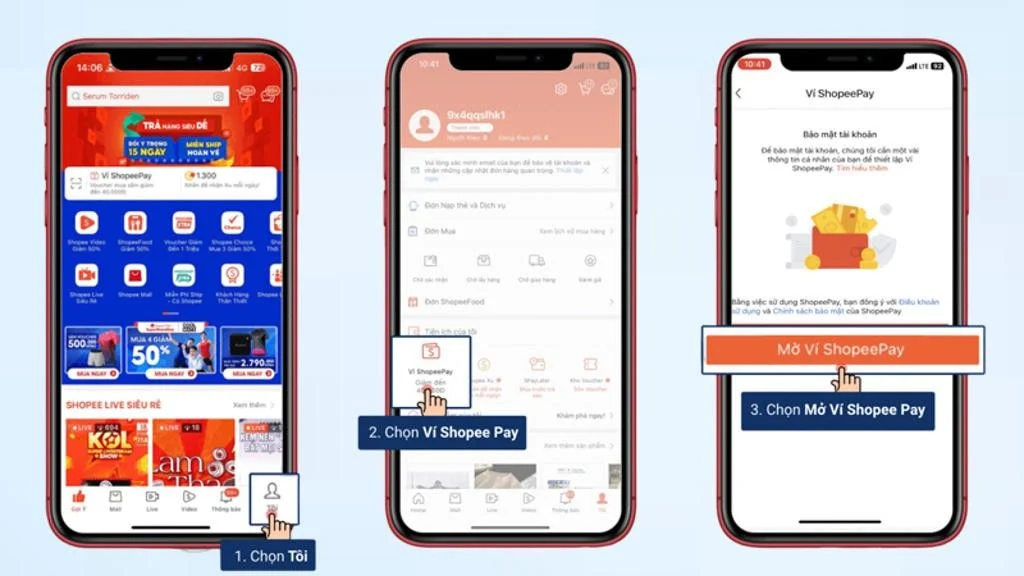
Adding funds to a digital wallet via bank transfer allows users to proactively manage purchase funds without sharing fixed bank account details. Performing a bank to shopee pay transfer operates on dynamic VietQR infrastructure, assigning a temporary virtual identification account for each individual transaction. The primary advantage of a bank to shopee pay transfer is its ability to accept funds from any domestic Mobile Banking application, solving top-up issues when bank accounts are not directly linked to the wallet. RentAds provides a deep analysis of automated server reconciliation mechanisms, common oversights that cause transaction holds on the Napas network, and emergency tracing protocols.
When Should You Choose a Bank to Shopee Pay Transfer?
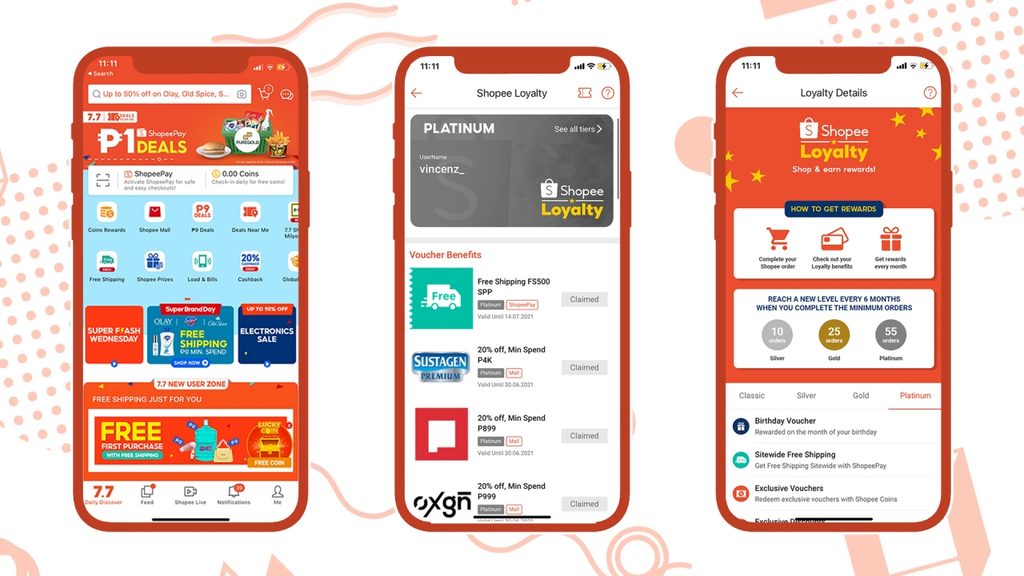
Compared to topping up funds from a bank account directly linked to ShopeePay, executing a bank to shopee pay transfer via VietQR is more suitable in situations where you need to use a different bank account or prefer performing quick operations through a mobile banking application.
Receiving Top-Ups From Other People’s Bank Accounts
If friends or relatives wish to transfer funds into your ShopeePay wallet, they can perform a bank to shopee pay transfer using the payment details or VietQR code provided by ShopeePay, rather than logging into your personal ShopeePay account. This approach offers convenience when the sender uses their own bank account and wishes to complete the transaction directly within their banking application.
Before confirming, the sender must carefully verify recipient details, payment amounts, and transfer remarks according to the instructions rendered on ShopeePay. If the system specifies a distinct remark sequence or recipient account, refrain from altering these details to ensure accurate automated balance recognition.
When Banking Institutions Are Not Available for Direct Linking
Utilizing a bank to shopee pay transfer represents a practical solution if the bank account you wish to use is not supported under ShopeePay’s direct linking options. Instead of linking the account to your wallet, you execute the transaction from your mobile banking app using the payment parameters generated by ShopeePay.
However, buyers should not assume that every bank or account type guarantees successful wallet funding. Supported channels depend on active platform guidance and transaction conditions at the time of use. When the application displays a VietQR code or specific transfer instructions, prioritize using the exact details generated for that specific transaction.
When Seeking Control Over Individual Top-Up Transactions
Initiating a bank to shopee pay transfer allows you to proactively open your banking application, review beneficiary details, verify transfer amounts, and confirm each transaction before funds are moved. This option suits users who prefer not to execute direct top-ups from a permanently linked bank account.
Nevertheless, using VietQR does not imply that transactions are inherently immune to error in every scenario. Users must remain diligent in checking recipient names, payment amounts, and transfer remarks prior to confirmation, while strictly avoiding sharing OTPs, passwords, or banking login credentials with third parties.
Here is the complete translation into English, strictly following your established guidelines (using H2 and H3 headings, incorporating the exact phrase “bank to shopee pay”, using no bold text in the body content, and omitting any unrequested visual components or tables):
Tips for Scanning Top-Up QR Codes Without Data Discrepancies
Instead of manually typing long account numbers and payment remarks, dynamic VietQR codes auto-fill most transaction details. To minimize data errors when performing a bank to shopee pay top-up, follow the procedure detailed below.
Generating the Correct VietQR Code for Your Top-Up Transaction
On the ShopeePay top-up interface, select the desired top-up amount → select Bank Transfer → tap Top Up to generate a VietQR code. Each code is generated specifically for its corresponding transaction; therefore, avoid reusing an old QR screenshot for a new top-up if transaction details have changed.
Once the QR code appears, you can take a screenshot or save the image to use inside your mobile banking app. If the code expires or a new transaction is generated, use the newly issued code rather than scanning the previous one.
Scanning Saved QR Code Images to Avoid Manual Entry
Open your mobile banking application → select Scan QR → choose the saved QR image from your photo library if your bank supports this feature. The banking application will parse the embedded QR data and auto-fill corresponding fields for the bank to shopee pay transfer.
This method minimizes the risk of mistyping account numbers, transfer amounts, or payment remarks. However, image-based QR scanning functionality varies across banking apps. If your application lacks this feature, scan the code directly using your camera or enter the transfer parameters as displayed.
Verifying Transaction Data Before Confirming Payments
Scanning a QR code does not replace final verification steps. Before authorizing the payment, cross-check the beneficiary name, transfer amount, and remark code against the details shown on ShopeePay.
If amounts or remarks do not match, refrain from manually editing fields based on guesses. Return to the top-up interface to verify and generate a new QR code if necessary. Taking a few seconds to verify details prevents scenarios where funds are debited but transactions fail to credit automatically.
Why Does the Bank Report Success While ShopeePay Has Not Received Funds?
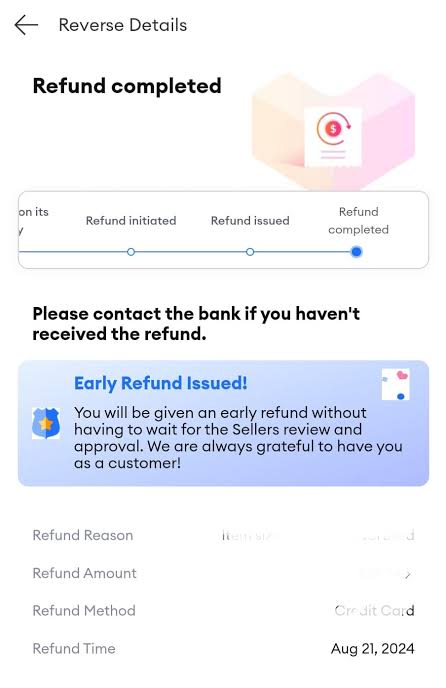
When banking applications report a successful transfer but ShopeePay wallet balances remain unupdated, users may worry the transaction failed. Before attempting another bank to shopee pay transfer, review your transaction parameters, as funds may still be undergoing reconciliation before being credited to your wallet balance.
Transfer Remarks Do Not Match ShopeePay Instructions
When using bank transfers for wallet top-ups, the platform generates unique transaction identification parameters, such as specific remarks or reference codes. If users manually re-type these parameters and omit, alter, or add personal notes, automated systems may fail to recognize incoming funds against the generated top-up request.
Therefore, when relying on payment instructions provided by ShopeePay, keep the system-generated remark string intact. If a transfer succeeds but remarks were entered incorrectly, avoid initiating a second transaction immediately; instead, retain transaction proof for reconciliation.
Transferred Amounts Do Not Match the Generated Top-Up Order
The transferred sum serves as a critical data point during automated reconciliation. For example, if ShopeePay generates a top-up request for 200,500 VND but the user transfers exactly 200,000 VND, the incoming funds may not be recognized automatically under the original transaction request.
If you discover an incorrect transfer amount was sent, save the transaction reference ID, exact timestamp, and actual transferred amount. Do not attempt to transfer the remaining difference immediately on your own, as this generates a separate transaction and complicates manual verification.
Processing Delays Within Banking or Reconciliation Networks
Even after your bank displays a successful transaction status, updated ShopeePay balances may require additional processing time. Delays typically stem from interbank processing windows or ongoing system reconciliation between banking gateways and wallet servers.
If funds have been debited from your bank account but your wallet balance remains unchanged, review both your bank statement history and ShopeePay transaction logs first. If the transaction remains unrecorded after a reasonable waiting period, save the transaction ID, timestamp, transferred amount, and receipt screenshot to provide to customer support. While awaiting investigation, do not execute duplicate top-up attempts for the same transaction.
Contact Info
You need a Facebook advertising account but don’t know any reputable provider. Coming to Rentads is where you will experience what you need google account for rent prestige, high trust, and professional consulting and service support for customers.
Frequently Asked Questions
Depending on your mobile banking app, some applications allow selecting QR code screenshots directly from your device photo library instead of scanning live with a camera. After scanning the image, always review all populated transfer details prior to confirming payment.
No. Each generated QR code remains valid for one-time use only within its active 15 to 30-minute validity window. For every new bank to shopee pay top-up, you must navigate the interface so the system can issue a fresh, unique QR code.

