Product search ads shopee
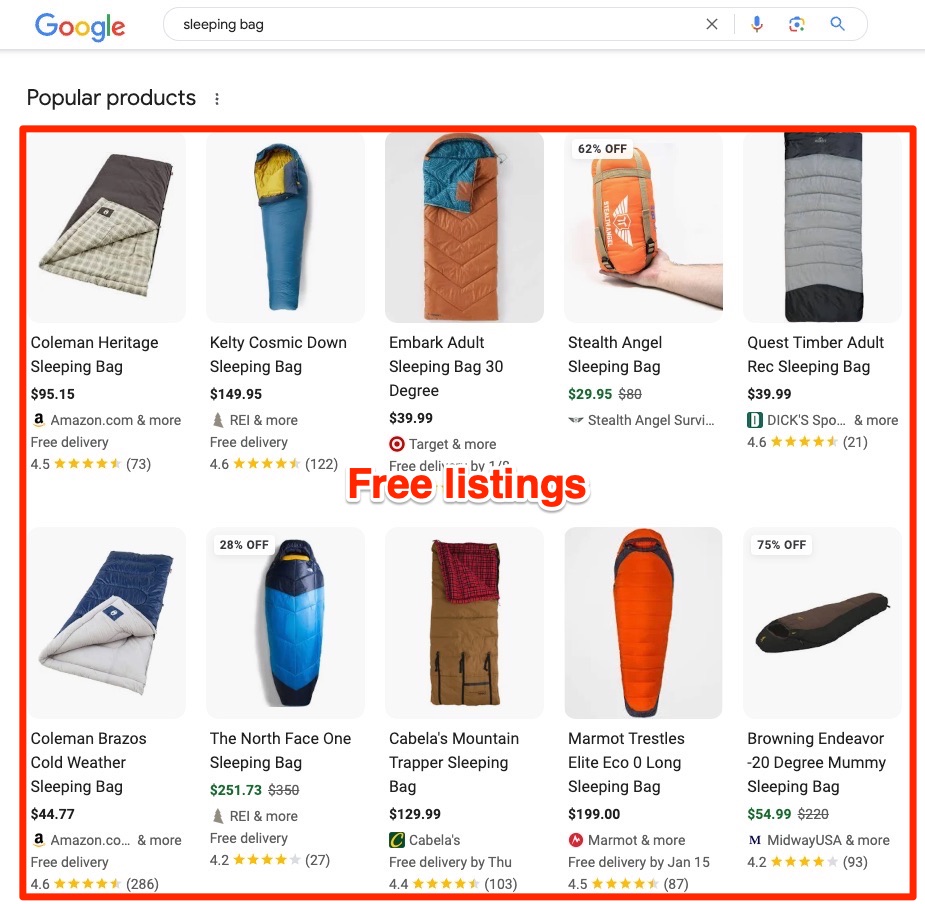
Shoppers searching on Google respond most strongly to results that display complete product imagery and transparent pricing. Combining Google Shopping Ads for Shopee with CPAS data integration creates an off-platform traffic funnel with exceptional conversion rates. However, the true performance of Google Shopping Ads for Shopee depends entirely on the cleanliness of your input data feed and profit-margin-based budget allocation. The RentAds team breaks down all technical barriers to help your store master this high-converting acquisition channel while strategically leveraging product search ads shopee to capture high-intent internal search traffic.
Achieving Success with Product Search Ads Shopee and Google Shopping
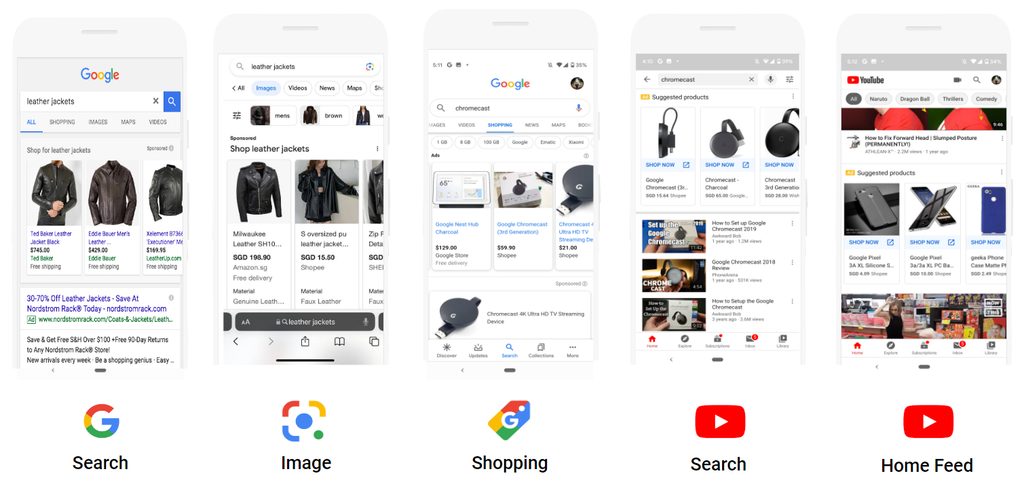
To successfully run Google Shopping campaigns for products sold on Shopee on a stable and continuous basis, sellers must resolve two core operational requirements simultaneously: connecting the underlying product catalog data correctly and meeting Google Merchant Center’s strict policies. If an issue occurs in either area, products risk disapproval, or the displayed inventory information will turn out inaccurate.
Product Data Distribution via Shopee Store Accounts
Shopee Collaborative Ads should be understood as a collaborative advertising framework among Shopee, brand merchants, and advertising partners, where product data and store performance metrics are utilized based on program support mechanisms. Merchants should not treat CPAS as a simple tracking script or code snippet to manually paste into a personal Google Ads account.
If you deploy this model, establish and clarify these parameters before launching:
- Which account holds primary management over campaigns and the main product feed?
- Which specific products within the store catalog satisfy eligibility criteria to join?
- Which exact conversion window is assigned to record completed store orders?
- What criteria and matching rules will be used to reconcile revenue between the ad network and Shopee’s system?
The key takeaway is never to assume that CPAS automatically converts every order data point from Shopee into trackable conversion data inside Google Ads. Always follow the explicit integration workflows provided in official program documentation at execution time.
Image and Title Formatting Standards for Fast Approval
Google Merchant Center evaluates multiple product attributes before permitting feed data to serve in active ad placements. Regarding primary thumbnails, a clean white background remains the safest standard for most retail categories because it highlights product details clearly; however, a plain white background is not mandatory for every single item type.
Audit these foundational elements before putting a product feed live:
- Use crisp, high-resolution visuals that accurately reflect the physical product being sold.
- Avoid misleading promotional graphic overlays or completely unrelated visual assets.
- Craft product titles that describe the item accurately without resorting to keyphrase stuffing.
- Ensure listed prices and stock status match the destination landing page without discrepancies.
- Declare brand attributes, product codes, and relevant specifications accurately whenever mandatory.
Most importantly, never attempt to bypass guidelines by cluttering the primary photo with promotional badges, heavy discount copy, or graphic art. If your primary goal is maximizing approval rates and maintaining long-term listing stability, data accuracy matters far more than making images overly busy.
Strategic Product Feed Techniques to Maximize Quality Score
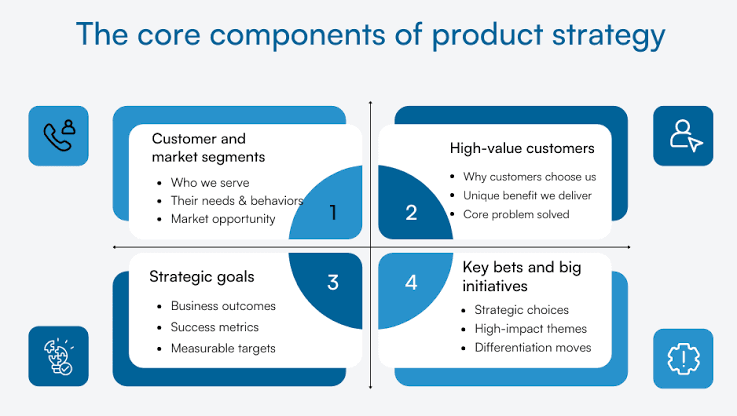
The cleaner and more accurate your Product Feed is, the easier it becomes for Google to parse your store inventory and match individual items with relevant search queries. Instead of trying to force extra keywords into every field, direct your efforts toward resolving common data inconsistencies, particularly around product titles, retail prices, and inventory availability.
Standardized Product Title Naming Formulas
Product titles should prioritize key details that help buyers identify and distinguish the item immediately upon viewing. You can apply a structured formula like this:
[Brand] + [Product Name] + [Key Feature/Size] + [Model Code]
For example: “Anker Power Bank 20,000mAh PD 30W – A1384”.
Not every product line requires every element listed above. If an item lacks a model code or if size isn’t a distinguishing buying factor, simply omit that specific field. What matters is keeping titles accurate, clean, easy to scan, and reflective of the real item, rather than repeating redundant keywords.
Before running bulk updates across your catalog, check these essential points:
- Ensure brand name spelling remains consistent across all product lines.
- Double-check that model codes contain no typos or accidental overlaps with other SKUs.
- Position primary specifications near the front where they remain instantly visible.
- Remove promotional tags such as “SALE”, “HOT”, or “50% OFF” from titles unless permitted by Google guidelines.
Resolving Price and Stock Desynchronization Errors
Retail pricing and stock availability represent two data fields that must stay synchronized between your product feed and the final landing page. If Google displays a price of $29.99 while a visitor lands on Shopee and sees $32.99, or if ads continue showing for an out-of-stock item, user experience suffers and product listings encounter errors.
To prevent these errors, set up automated data checking workflows or refresh your feed at frequent intervals, especially for items with constantly shifting prices or inventory levels. When resolving mismatch errors, investigate variables in this order:
Price → Stock Availability → Product URL → Item Variants → Feed Refresh Timestamp
If your store handles a large catalog, manual daily checks across all items are unnecessary. Prioritize auditing high-traffic items and products running active ad spend, and clear any price mismatch or availability warnings inside Google Merchant Center immediately.
Structuring Google Shopping Campaigns via the Profitability Matrix
Rather than dividing your advertising budget evenly across all products in your store, evaluate catalog items based on two key metrics: sales velocity and gross profit margin. A product generating massive volume on thin margins does not necessarily deserve higher priority than a smaller-scale product that yields high net profit.
Isolating Hero Product Groups
Isolate Hero Products into dedicated campaign structures when they demonstrate both high sales volume and sufficient profit margins to absorb ad spend. Isolating top performers prevents ad budgets from being drained by slow-moving items or products with unstable performance.
Once isolated, scale budgets step-by-step while tracking ROAS, Cost Per Acquisition, and actual net profit. If revenue goes up but advertising costs increase at a faster pace, refrain from pushing budget further purely because the product boasts high sales numbers.
Niche Product Testing Strategies
For niche products lacking historical conversion data, running Maximize Clicks can serve as an exploratory testing phase. The goal here is driving sufficient initial traffic to gauge real market interest before transitioning toward deeper conversion optimization strategies.
However, avoid setting a naive goal of chasing maximum clicks at all costs. If traffic rises but visitors fail to view products, add items to cart, or complete purchases, cheap clicks offer zero real value. After a testing period, retain products showing genuine conversion signals and reduce budget allocation for items that produce nothing more than empty visits.
Setting Target ROAS Aligned with Gross Profit Margins
Set your Target ROAS (tROAS) based on how much ad spend each specific product group can sustainably absorb. For example, a product operating on a 50% gross profit margin has far more room to cover marketing costs than a product running on a 20% margin, even if both generate identical top-line sales figures.
Consequently, avoid applying a single, store-wide Target ROAS across your entire catalog. Calculate the baseline ROAS required to prevent profit loss, then set your target higher by a reasonable margin to accommodate extra operational costs. Once real-world campaign data stabilizes, adjust your Target ROAS incrementally rather than making drastic shifts all at once.
Contact Info
You need a Facebook advertising account but don’t know any reputable provider. Coming to Rentads is where you will experience what you need google ads account for rent prestige, high trust, and professional consulting and service support for customers.
Frequently Asked Questions
No. A high volume of cheap clicks that fails to generate add-to-carts or sales still wastes media budget. Traffic quality must always be judged by its ability to deliver actual business value.
First, evaluate incoming traffic quality and review the product landing page experience. If users land on the page but display no purchase signals after gathering sufficient data, reduce bids or cut budget instead of spending money to maintain clicks.

